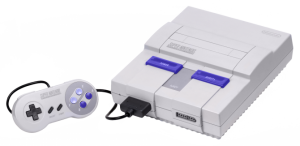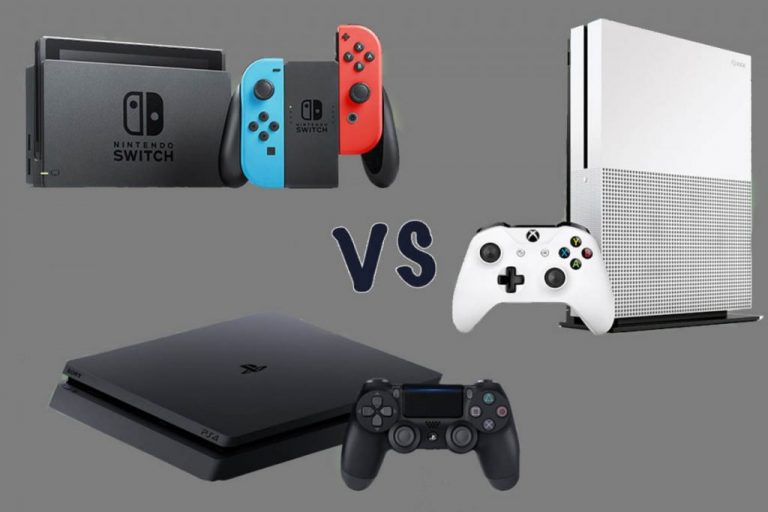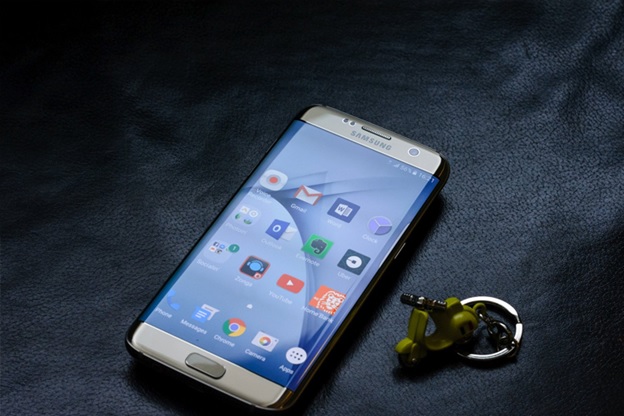
Tips For Laser Engraving Signs

0

Laser technology has become very popular in the recent past as it guarantees efficiency and precision. Lasers are currently being used by signage companies when it comes to engraving and cutting signage. It is possible to engrave any design using laser on a wide range of materials that include; textile, stainless steel, stone, glass, wood, plastic, and laminates. The following are some important tips for laser engraving signs:

Bottom up Engraving

When engraving a sign on any material, it is advisable to begin from the bottom of the material as you move upwards. This can be achieved by changing the orientation of the laser engraver for signs before the process. Bottom-up engraving makes cleaning easier as the amount of residue from previously engraved material is minimized. Having residue on the warm core during the engraving process complicates the cleaning process.

Try Color Contrasts

It is always the desire of signage companies to come up with sharp white engraving outcomes. However, this cannot be guaranteed if you use materials with dark top colors and white core colors. The color residue to the white should be minimized as much as possible through; multiple passes, bottom-up engraving, and 5% power increments. Applying these strategies will give you optimal results when working with different types of laserable materials.

Make Good Use of the Red Dot

It is easy to figure out where to engrave or cut by using the red dot. The best way to come up with quality signs is to ensure that the engraving or cutting laser fires at the right spot. The red dot is normally projected on the material by a laser material. This particular feature is optional and one can decide to turn the laser pointer on or not. Before working on any material, it is always important to know where the laser will engrave. You can turn on the red dot by turning off the power to the laser. It is advisable to always watch the position of the red dot as you run the file. It is easy to know where an engraving will end up when the laser pointer is on.

Using Different Layers in a File

This tip is only applicable for individuals that have the ability to only print part of a design or file at a given time. It is possible to turn different layers on and off as you continue with the engraving process. The majority of graphic programs available in the market allow users to create different layers. Although it is possible to work with one layer, multiple layers come with extra benefits. The use of different layers in laser engraving signs enables you to control the order of cuts, create layout guides, and have multiple designs and parts in one file.

You May Like: ODIN – The tiny robot head laser-projected mouse

Laser engraved signs have become popular in the recent past due to their quality and attractiveness. In order to come up quality engraved signs, it advisable to use; different lasers in a file, color contrasts, bottom-up engraving, and make good use of the red dot. It is also important to select laserable materials to guarantee quality signs.


How to Up Your YouTube Game: Gear and Content Tips

0

Despite the recent turmoil and changes in YouTube’s own algorithm, YouTube is still the largest video sharing platform today. Content creators are trying to win the attention of millions of viewers. Some even turn YouTube into a business and a fulltime job.

As more creators join the platform, it is only natural that the landscape becomes more competitive. You have to stand out from the crowd to be successful on YouTube. These next several tips will help you do just that and up your YouTube game to the next level.

Boosting Production Value

Forget about saving for a Red Epic or spending thousands on a full-frame camera. Sure, better gear can make producing high-quality videos easier, but you should never let your camera gear limit your production value.

What you should be focusing on is making the most out of your investment. Instead of going for the most expensive gear, you can get better value by looking into the best cameras for the money. You can also add additional tools; a sturdy tripod and a good slider will go a long way.

Other things you can do to boost production value is using DIY tips and tricks to your advantage. Need to add movement to your videos? Learn about tripod tricks and DIY tips to produce awesome shots without spending more money.

Audio Is Half the Battle

Boosting your production value in order to make your YouTube videos more appealing also means recording better audio. After all, audio is half of your YouTube videos. Viewers are more likely to consume your contents when it has good audio, even when the video quality is rather limited. Videos with bad audio, on the other hand, don’t work at all.

You should focus on recording clean, high-quality audio as much as you try to improve the look of your videos. Thanks to products such as the Rode SmartLav+ and Sarmonic SmartRig Plus, you can do better audio recording using nothing but your phone and a good microphone.

Engage the Audience

YouTube is not a one-way platform. While you as a content creator are streaming information to the audience, there are also a lot of opportunities for interaction and user engagement. Asking the audience to comment alone can help improve user engagement by a substantial margin.

Don’t just stop at arousing responses from the viewers either. Take the time to respond to comments and interact with your viewers. You will grow your channel at a faster pace this way.

Utilize Other Platforms

While hashtags and keywords can help increase your videos’ exposure, they are not the only tools available to aspiring content creators. Similar to growing a website, you can stage your own digital marketing campaign and rely on instruments such as SEO and social media to further increase the reach of your videos.

You May Like: Choosing The Best Mobile Development Strategy

YouTube may be a competitive playing field, but new creators are being discovered and reaching new heights every day. With the tips and tricks we covered in this article, you too can grow your channel, improve the contents you share, and achieve the level of success you are aiming for.

Video Games and The Art of Losing

0

When was the last time that you can recall losing at a video game? I don’t mean dying and having to reload. I don’t mean losing all your lives and being sent back to the start of the map. I mean actually, honest to God, losing the game. It is a feeling that, as children, would have sent many of us into an emotional tailspin, the likes of which can only be drawn out by the uniquely cruel frustration that comes with losing a game.

Death of a Plumber

The first Super Mario game was notable for a number of reasons, but one of the really great things about it, and a source of endless fond memories for many of us was that when you ran out of lives, you went back to the beginning of the game. This meant that there was a palpable sense of tension that grew as you progressed through the game and God help you if you were part of the group and unlucky enough to be playing with the final life.

But then things changed. Soon, for Mario, death was not the end. You could acquire lives as you played the game, and you could lose them at a prodigious rate if you weren’t paying attention. But, even after the counter hit 0, Mario would simply dust himself off and return to the world’s beginning to try again. The concept of actually losing at a game, having the whole thing reset itself so you could try again from the beginning, has fallen out of favor. The continued existence of websites such as gameguideworld.net show that the challenge is still there, but the consequences of failure are not.

The Economics of Death

The most obvious explanation for this is quite simple. Although we think of Mario as being one of the classics, Mario was actually kind of late to the party. His first appearance was in the arcade hit Donkey Kong, another game where death meant death. This made sense in the arcade. Before there was a home market for video games, arcade operators needed the queues to keep moving and the money to keep rolling in. This wouldn’t have worked if the player could just play until they finished, or got bored, which was unlikely given that sustained fun in the real world hadn’t been invented yet.

Will We Ever Lose Again?

It seems that players just aren’t demanding the same challenge anymore and the way we approach games has changed. They are the only entertainment medium where if the product doesn’t judge you to be good enough, it will lock away content. Can you imagine a DVD that would stop playing if you couldn’t answer questions about the film?

You May Like: 5 Vintage Unblocked Games You Can Play Today

While many of us would love to see more games embrace the joy of losing, it is a risky proposition for a developer. And for players who are already grumbling about the ever-growing price tag of their games, perhaps there is a sense that they are entitled to win.

For many of us, video games taught us a valuable lesson about losing and while games have become more challenging, nothing can really capture the tension and excitement that comes with the threat of having all the hours you’ve put in so far ripped out from under you.

What is Cloud and Distributed Computing

0

More and more people are outsourcing everything about their lives. This includes data storage. We use cloud computing and distributed systems every day, from backing up our phone and email contacts to using online word processing software. Unfortunately, cloud computing and distributed systems are frequently confused, bundled together, or otherwise improperly defined. So, just what is the difference between distributed and cloud computing

What is Cloud Computing

Cloud computing, at its very core, involves systems that are managed remotely and virtually, and are typically geographically distributed. The system of using cloud computing came out of a need to maintain 100 percent uptime on all applications. Clients will readily drop applications that go down routinely, which means one physical mainframe simply will not do for most application. Cloud computing is scalable en masse, and allows users access to a pre-built service rather than having to build their own infrastructure. If you need help implementing a cloud computing system, Winnipeg managed IT firm, ResoluteTS can assist you in getting started.

Examples of Cloud Computing

No matter what your career is, or what your hobbies are, you have likely utilized some form of cloud computing. YouTube is one example. It allows users to upload their videos and host them there, instead of needing to create their own database. Google Docs is another great example. With Google Docs, users do not need to download a word processing software, nor do they need to save their documents to their own hard drives.

What is Distributed Computing

For nearly as long as computing has existed, so have mainframes, or other centralized computing systems. With centralized computing, there is one main computer responsible for handling all of the operations and peripherals. These are ineffective when it comes to handling a large amount of data or providing services for a multitude of online users. This inefficiency has led to the development of distributed computing. Best defined as the use of a widespread system in which a large problem is solved by breaking it out into different parts that can be computed by different computers within the system, a distributed system always has more than one computer that communicates with other computers through the network. It allows for a multitude of online users to access the service by separating their needs into different nodes. Distributed systems also often have the ability to tolerate the failure of individual computers on the network, but this is dynamic.

Examples of Distributed Computing

If you have used the internet before (if you are reading this article, it is clear you have) then you have accessed a distributed computing system. The whole World Wide Web is a distributed system; could you imagine if it were not? Either access would be severely restricted or the mainframe would need to occupy the space of an entire moderately sized country. Facebook, Google Bots, Google Web Server, and Cloud Network Systems also use distributed computing.

Going Forward

So, what does the future hold for data storage and computations? We can look forward to a more efficiently used computing grid, cheaper computing costs, and more emphasis on distributed systems as opposed to cloud computing.

Best Budget Laptops for Everyday Users

0

When talking about gaming laptops, we usually turn to the likes of Razer and Asus’s ROG series for ultimate performance. While these gaming laptops can handle most things you throw at them, they are relatively expensive at more than $1,000.

What if you only want a capable laptop for casual and light gaming? There are actually a lot of great options on the market and we are going to review some of them in this article.

Acer Aspire E15

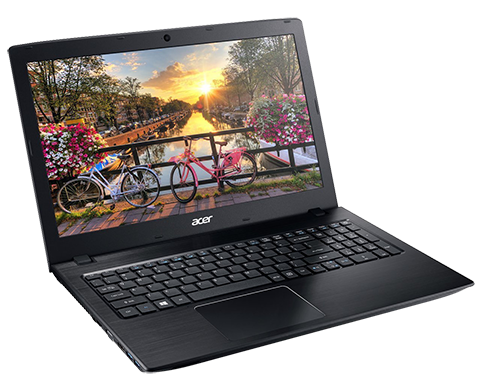
We can’t talk about affordable laptops for casual gaming without talking about Acer. The company is not only very successful with its Predator line of serious gaming laptops but also with its E series laptops for everyday users. The Acer Aspire E15 is a good example of a laptop that provides you with a nice balance between value and performance.

As the name suggests, the Aspire E15 comes with a 15-inch screen. The one you want is dubbed E5-575G-57D4, with an Intel Core i5 7200U processor and a dedicated graphics card, the NVidia GeForce 940MX. This may not be NVidia’s most powerful dedicated GPU, but it is certainly more than capable of running titles such as Drift and Burn 365 on your web browser.

Acer-Aspire-E-15-E5-575G-57D4

You also get up to 12 hours of battery life, 8GB of RAM, and 256GB of SSD. All of these features are yours for just a little under $550, which makes the Acer Aspire E15 one of the best laptops on the market when it comes to price to performance ratio.

Dell Inspiron 15

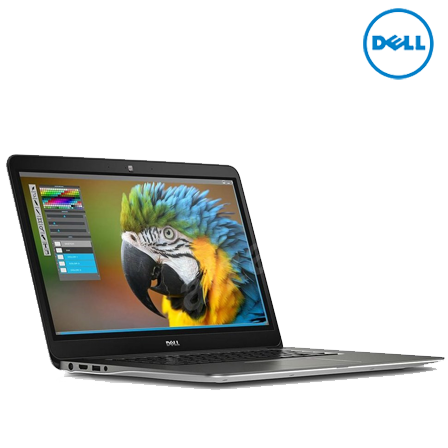
Another great 15-inch gaming laptop to consider is the Dell Inspiron 15. The laptop is much closer to our $1,000 limit than the previously discussed Acer Aspire E15. The Inspiron 15 now retails at around $800. That said, you get so much more for your money.

Dell Inspiron 15

For starters, you get Intel’s top-of-the-line Core i7 7700HQ processor for maximum performance. You also get NVidia’s latest generation GPU with the GTX 1050Ti. Of course, you get a crisp and vibrant 15-inch screen with IPS panel now that Dell has decided to include the new panel as standard (the same model used to come with the inferior TN panel).

You May Like: Cheap Laptops Around $300

The only compromise you have to make when opting for the Dell Inspiron 15 is the battery life. You only get around five hours of normal use from the built-in battery, and the power brick that comes with this laptop is not necessarily compact either.

HP 15

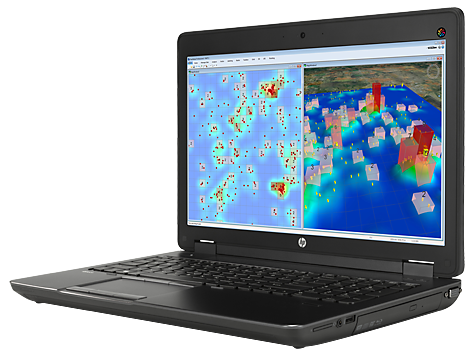
The HP 15 is known for its reliability and simple design. The HP 15-ba043wm is actually a great laptop to opt for if you’re looking for good price-to-performance ratio and you want to spend no more than $500 on the gaming laptop. Similar to the previous two options, the HP 15-ba043wm also comes with a 15-inch screen and discrete graphics. This time, however, you get AMD’s A10-9600P processor and the seventh generation Radeon R5 Bristol Ridge GPU.

HP 15-ba043wm

At less than $450, it is difficult to beat the HP 15-ba043wm in terms of value. You even get a touchscreen LCD panel with the laptop, which makes it an absolute bargain.

Top 5 Trends in Android App Development in 2017

The perks of Android App Development in the past decade has been powered ahead by easy to learn development courses and a shift of smarter brains from the hardware intensive to the software intensive industry. Reason? An air-conditioned work place and an attractive pay cheque – provided you succeed.And with the number of smartphone users set to breach the 250 million mark by 2020, we are talking about a sector in technology that is perhaps, immune to a potential economic downturn. And to keep you updated with the latest movements in Android app development, we have listed down some of 2017’s major trends…

Trend 1 – Instant Apps

Accessing an android app requires you to download it via the ‘Google Play Store’ which may be a challenge if you are on the run owing to compromised internet speed and data limits. Well, Problem solved! Instant App will allow users to gain quick access and download these apps from outside the Play Store through your smartphone’s browser. Considering the cost of internet, the apps will not be downloaded in its full size, but only in parts. Instant Apps can be tested on the latest version of Android OS, which is the 7.0 Nougat. However, in the long run this facility will be available on all the versions starting from OS V4.1.

Trend 2 – Android App Security

Google has plans to invest heavily in making its Android apps hack-proof. Let’s consider the earlier mentioned case about Instant Apps. Although it’s a new technology, its programmed to run on a model unified into Android 6.0 which is a protected and well-guarded feature. Moreover, the overall security of the app will gain tremendous improvements, thanks to automatic security updates which will request permissions from the user at every vital step.

Trend 3 – New AI-based assistant

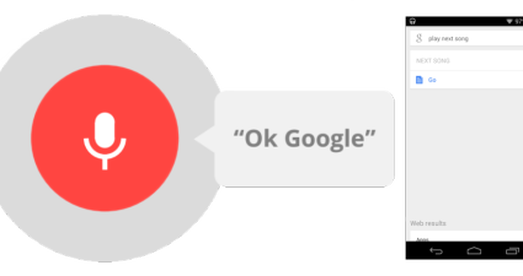
ok google

Google has kept its promise which it made last year, by continuing to incorporate its Google assistant feature into the latest range of Android devices. And after much research, it turned out that the Okay Google command was more useful than Google Now. The AI-based assistant is able to converse with the user, clarify necessary information, and even act as a smart chatbot. And if the developers’ promises are to be believed, the function is set to improve further in the course of time with a lift in the quality of AI hardware.

Trend 4 – In-App Payments

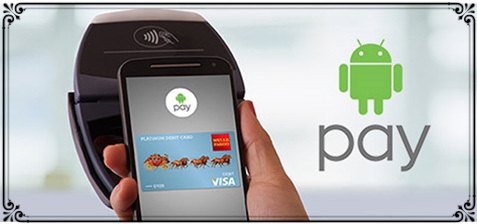
android pay

It’s been seven years since Google Wallet, the mobile payment system was created. It was then upgraded to Android Pay which was more secure and advantageous. The system is perfect for storing the confidential data from all of your credit cards and the possibility to process transactions by simply unlocking your device makes it super user friendly! All you need to do is to place your device near the contactless terminal of the NFC based device. Transaction complete!

Trend 5 – In-App Search

Unlike common search feature, In-App function presents the Google search bar within the apps you have already installed. So far, Google has meshed this new feature into its most prominent apps like YouTube, Spotify and Gmail. However, Android app developers have assured to incorporate this ‘search element’ into a larger faction of apps, making it among the hottest trends of 2017.

You can also look at VoucherBin.co.uk where you will find numerous latest technology smart phones and tabs at discounted rates with inbuilt security apps and many other latest apps which will safeguard and enhance your device.

You May Like: Future Concept Phones Are The Next Big Thing

Through Android, Google is striving to be the best in its field and to leave its rivals far behind in the tech-race. Moreover, with an app for everything attitude, we can foresee a flurry of fascinating trends making its way into our Android devices.

90’s Gadgets That Are Worth a Lot of Money Today

The 90’s was a fun decade for gadgets.  It was the first decade when cell phones gained widespread popularity, and consoles like the PlayStation and the Sega Megadrive were all the rage with kids everywhere.  If you managed to avoid selling or recycling your gadgets, you could be sitting on a goldmine.  In this article, we’re going to take a look at some of the most popular 90’s gadgets that are worth a lot of money today.

The Nokia 3310

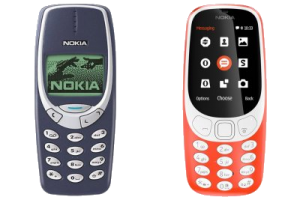
Nokia 3310 Old And New
The classic Nokia 3310 on the left and the relaunched Nokia 3310 on the right

The Nokia 3310 was the first phone I, and a lot of other 90’s kids, owned.  You could store a massive ten text messages on it, and it had some pretty nifty ring tones as well.  However, the best thing about the Nokia 3310 was Snake.  The iconic game was played by cell phone owners everywhere, and literally did keep them amused for hours.  Oh and if you dropped it, your heart wouldn’t skip a beat. They were ‘solid’ and didn’t break that easily. While Nokia has now relaunched the 3310, those in possession of the original 90’s version could see bids reach over $300 on auction sites.

The Sega Dreamcast

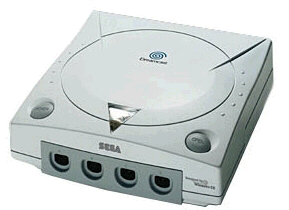
sega dreamcast

The Sega Dreamcast was released in 1998 (1999 in North America), and was the final console that Sega released.  The console was the most powerful system available at the time, and over 600 games were made for it, including Sonic Adventures and Evolution.  Unfortunately, once the PlayStation and Xbox both entered the console market, Sega was unable to compete, even though many believed the Dreamcast to be ahead of its time.  That said, the console can now be sold for over $1000, and any memorabilia you have, such as the Sonic The Hedgehog jackets advertised on Game Sniped, can also reach a pretty penny.

The Nintendo 64

nintendo gaming system

The other big console maker in the 90’s was Nintendo, and the Nintendo 64 sold over 32 million units around the world.  Despite it being a big seller, anyone who still owns one of these consoles could sell it for over $2000 today.  In 2015, it was included in IGN’s list of the top ten consoles of all time, and there are still a lot of people who enjoyed playing James Bond and Big Head, in what were at the time advanced 3D graphics, who wouldn’t love to recreate those times.

Boombox Ghettoblaster

Boombox Ghettoblaster

Finally, we’ll end this list with the Boombox Ghettoblaster.  These were firm favorites with all 90’s kids whose parents could afford them.  And, who needs the convenience of an iPod you can fit in your pocket when you can embrace your inner Fresh Prince?  Anyone who owns one of the original 80’s or 90’s models could be looking forward to a paycheck of over $2000.  Now who said hoarding your old gadgets was a bad idea?

You Might Be Interested In: 5 Vintage Unblocked Games You Can Play Today

The 90’s was a fantastic decade, and really marked the start of new technology hitting the mainstream.  Although the retro gadgets described above are no match for the gadgets we have available today, they have a fond spot in a lot of 90’s kids’ hearts and so demand high prices on auction sites.

Is the Xbox Worth the Sticker Price When Stacked Against the Competition?

0

Have you been eyeing up a brand-new Xbox lately, wondering if it would be the ideal console for you? Maybe you’re looking to upgrade your existing Xbox and you’re wondering how the Xbox 720 price you paid a few years ago compares to what you’d pay now for a brand new Xbox One X. There is also the question of how that Xbox compares when stacked against its competition – the Sony PlayStation. Is one system more powerful than the other? What about the selection of games?

So, before rushing out to purchase the latest Xbox, here’s a look at whether the sticker price of an Xbox is worth it when comparing it to the competition.

What the Xbox One Offers

If you’ve been busy looking at the latest Xbox, then there is no doubt you’ve heard about the upcoming Xbox One X, which is currently available for pre-order. The new release is just in time for the holiday season, as Microsoft is clearly making the push to be at the top of any gamer’s wish list. The console was first previewed by Microsoft back in June at its E3 press conference and has been drumming up interest ever since. The console will finally be available for the public to purchase on November 7.

As for its sticker price, the console will be listed at US$499, which is $100 more than its competition – the Sony PS4 Pro. It’s only natural that gamers are looking at this price difference and asking if it’s worth it.

When it comes to the specs, there are quite a few differences between each system’s entry models. The Xbox One X offers 12GB of RAM whereas the PS4 Pro offers 8GB. The Xbox features a 4K/HDR Blu-Ray drive and the PS4 features just a Blu-ray/DVD. However, both offer 4K support. The Xbox has eight 2.3GHz custom x86 cores but the PS4 goes one better with a 2.1GHz 8-core AMD “Jaguar” CPU.

For all the differences, there are some similarities as well. Both are roughly the same size and weight and both offer 1TB of storage – which is something gamers pretty much insist on nowadays. As well, each console will support the existing titles plus hardware improvements.

There Is a Valid Argument to Purchase Both

What has become interesting is that unlike in years past, these two current models aren’t really comparable because they are too different. It’s as though each console has pinpointed a target audience and is going for them. What this means for consumers is that there has never been a better time to pick up both since they are offering different features and experiences.

You May Like: After Android & iOS, Microsoft’s Cortana is coming to the Xbox One

To put things simply, games will run smoother and better on the Xbox One due to its specs; they will even look better. However, the PS4 Pro has a faster processor, which accounts for a lot too.

The Xbox One X is certainly packing a lot into its console, which warrants the sticker price, but at the same time, it’s hard to pick which one is better as they both have an impressive list of features.

Is this the Best Android Spying Software?

0

There are dozens of spying programs for android phones, so it’s quite a job finding one that’s right for you. But don’t worry; we have spent hours to find the best Android spying software for you. All you have to do is to read this review till the end.

For this review, we have picked xnspy.com as we believe that this app has all the features that are just right for monitoring any Android phone.

What makes Xnspy the Best Android Spying Software?

While sifting through different spying software, there were many with eye-catchy features while there were some that offered cheaper prices with basic features. We carefully whittled down the prime reasons for which we choose to declare this app the best among the rest. Others may have their own criteria for selecting the app they feel right for them, but for many out there, this would be the apt criteria to choose a monitoring app.

It can be controlled remotely: You can control xnspy app remotely. There are two ways to do it, either through your mobile phone or through a computer. There are many features that it offers to control a target phone remotely. If you are looking to remotely control any target phone without touching it, you should install this app.

no need to root androidNo need to root Android mobile: Many apps on the market require your Android phone to be rooted before it starts monitoring. Rooting can be risky to your device and can break down your device in extreme cases. But this app is not one of them. You do not need to root your phone to install this software.
It’s Affordable: Xnspy is neither of those apps that have skyrocketing prices, nor one of those that offer the cheapest packages with no value. It is an affordable app with flexible options to choose from and you can start using the software by paying as low as $8.99 per month.
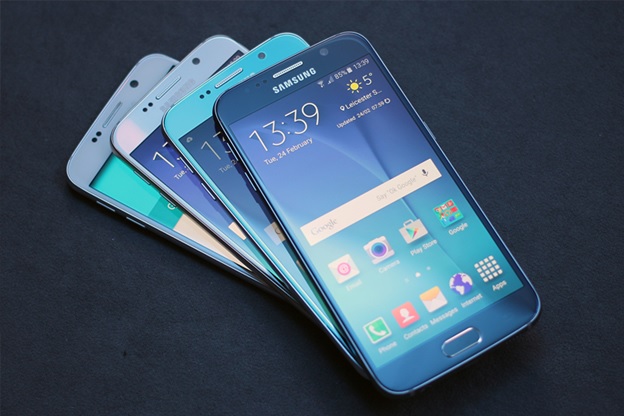
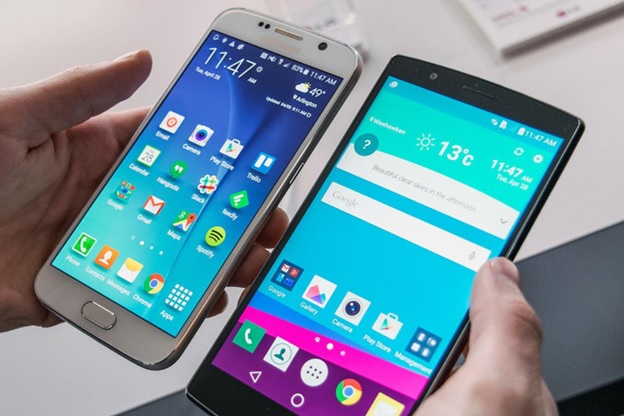
effecient spy appIt’s efficient: Before you purchase any app it is pertinent to know that It would be right in line with your device specifications. Many spy programs for android phones have performance issues when they are installed on the mobile. The battery starts draining fast or the phone becomes slower to navigate. Xnspy is an efficient app in terms of performance and compatibility.
How to use it?

how to use xnspyTo use Xnspy, you have to visit their website to download the app. Once registered, you will be provided with a download link and a code in your email account. Download the app on the target phone, and install the app following the instructions in the email. After it is installed, you are ready to use it.
Key Features:

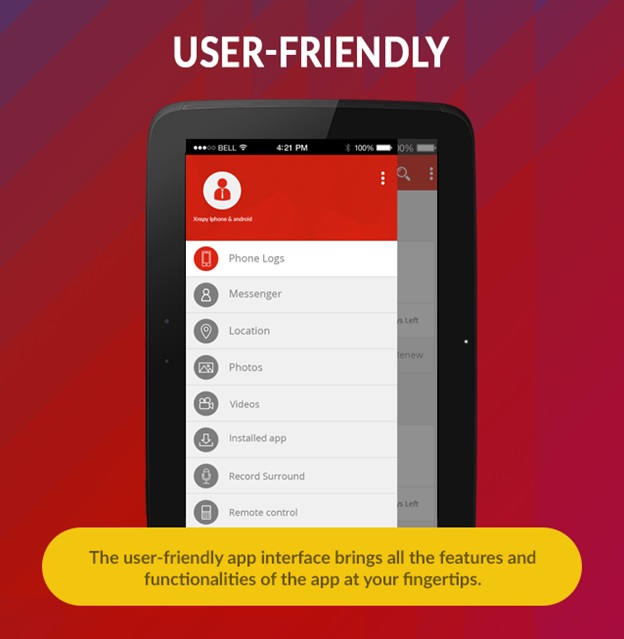
Though the app has many features to look out for, we are mentioning here a few key features for you:
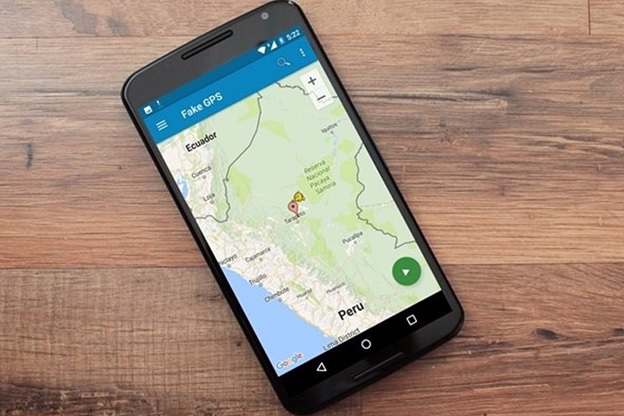
Stealth: After you install Xnspy, it works in stealth mode and cannot be identified. There is no sign of the spyware on the target phone. It does not appear in the application list as well. It is installed under a nondescript name. Additionally, there are no icons of the app on the phone.

geofencingGeo-Fencing: People like to follow movements of their loved ones but they are often short of time. Especially the concerned spouse are looking to follow their partners. The geo-fencing allows you to set up certain “restricted” areas. If the GPRS tracking system shows the device leaving or entering that restricted zone – you will get an alert. You are usually notified through an email or your online account.

Ambient Recorder: Suppose your target person is not on a call and you want to know what is going on around them, even if you are informed of their location. This feature allows you to listen to their surroundings. You can also keep these surroundings in recorded form. You access the microphone of target phone and you will be able to hear all his surroundings.

Watchlist: Although other spy programs for android phones also provide this option, what makes Xnspy different from its competitors is that you can keep multiple watch lists. You can keep a watch list of undesired contacts, a watch list of words and locations. Suppose you want to be informed if the word “kill” appears in the chats. Whenever that word is exchanged in the target phone, you will be instantly notified.

IM Monitoring: Billions of users in the world are using many famous instant messengers, people are sharing more of their life stories on social media. This best android spying software allows you to monitor these social media instant messengers. You can monitor all the major instant messengers including Skype, Facebook, Tinder, WhatsApp, Instagram, and Viber etc. It gives you access to all the messages and chats done through these platforms.

Call recording: This spyware also offers a detailed feature that you can use to spy on calls. It gives call information of all the calls and you can listen to all their recordings as well. It also keeps the sundry information of the call timings and the location of the target phone at the time of the call. You can also monitor the contact list on the phone and it gives information about the call history in the form of a call log.
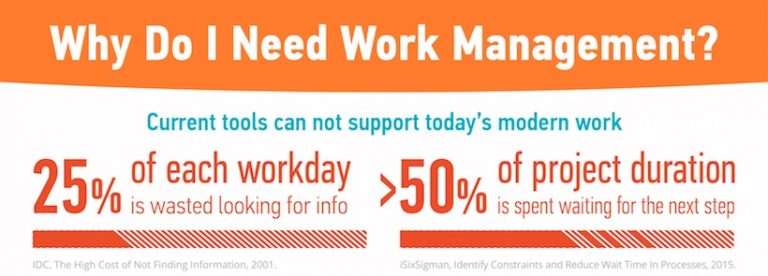
Why Every Team Needs Work Management Tools

0

Why Every Team Needs Work Management Tools

Infographic brought to you by Wrike free agile project management tool