Infographic brought to you by Wrike project planning and management tools


Infographic brought to you by Wrike project planning and management tools

We were given a sample by Gearbest for review. We have tried our level best to be impartial and we’ll be giving away the sample (after thoroughly cleaning and packing it as it came) to one lucky winner. See the end of the article for more details.
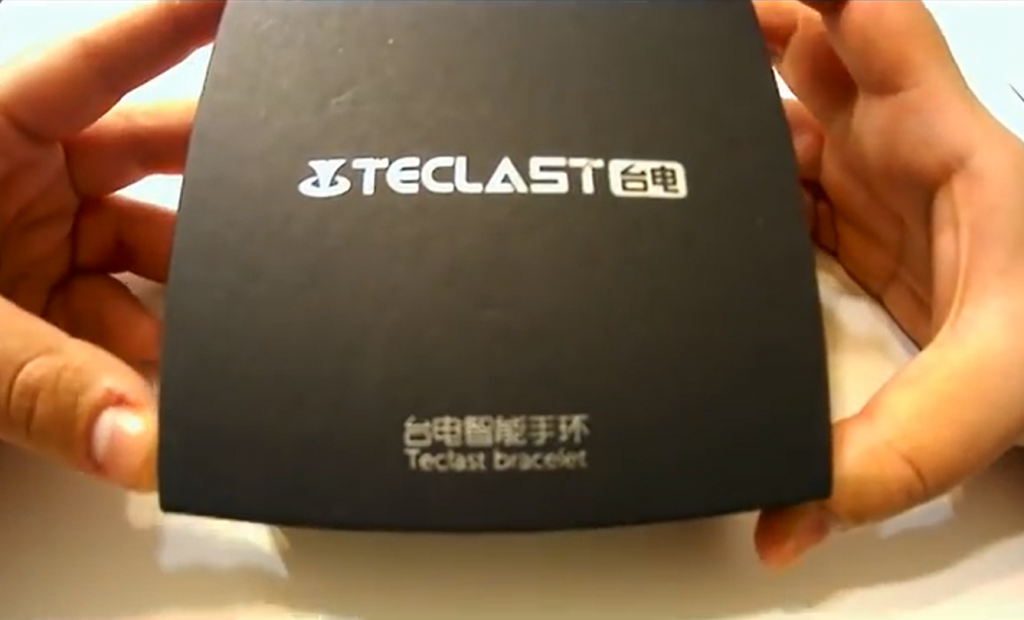
The Teclast H30 bracelet offers 24/7 smartwatch-style notifications, heart rate monitoring, and a step counter for only $16. Compare this to the Fitbit Charge HR which retails for $127 or the Garmin Vivosmart HR which retails for $149.99. The Teclast smartband has almost all the functions which the higher priced models offer.
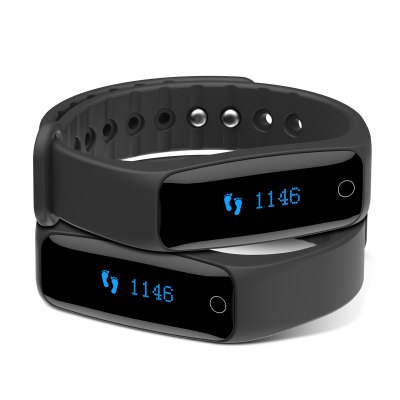 We’ll begin with the look and feel of the band. Sure, for many it is the quality of the technology that is important, but if we’ll be wearing something 24/7, it has to be comfy and should look good on our wrist.
The strap is made of food-grade skin-friendly silicone band, and has sweat grooves so that our hands feel clean after sports. It appears relatively sleek and it doesn’t snags on jacket sleeves or clothes. It is also very light-weight, weighing only 17 grams, and you will easily forget that you are wearing it after some time.
 |
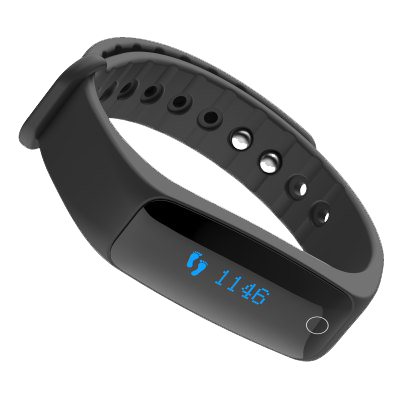 |
The display does an admirable job of keeping text readable and sharp, even when it isn’t quite large enough for full messages. It is a touchscreen OLED with a backlight for reading in the dark. It is basic, however it does a decent job of exhibiting your stats with a swipe across the screen. The upside, nevertheless, is that, unlike the Fitbit, the time is displayed permanently on the display, so it does a commendable job of doubling as a watch.
Adding smartwatch notifications is the important way in which the Teclast H39 can differentiate itself from the likes of Fitbit, and it handles this aspect very nicely.

There isn’t any rocket science in the way it deals with notifications. Any push notification from your smartphone is replicated on the Teclast. It buzzes (in that grinding whirring way) and shows the kind of notification and a snippet of the message, whether its from Whatsapp, Facebook or a simple SMS.
It is enough to alert you to a notification if you’re away from your smartphone, and lets you know when it is safe to ignore your cellphone – however it’s nowhere near as useful as a smartwatch, understandably so because of its screen size.
One other upside is the “water resistance” rating, which means you don’t have to take it off when washing your hands or face. It would have been even greater if we could have swam wearing it, but for this price, how much can a person expect!
The band will keep track of your steps, flights of stairs ascended and your sleep. It constantly keep tabs on your heart rate and it’ll monitor the amount of active minutes and how sedentary you are. It’ll even tell you how many calories you’ve burned when you are active. The APP will record and save all the data so you can see how you’ve been doing throughout the month.
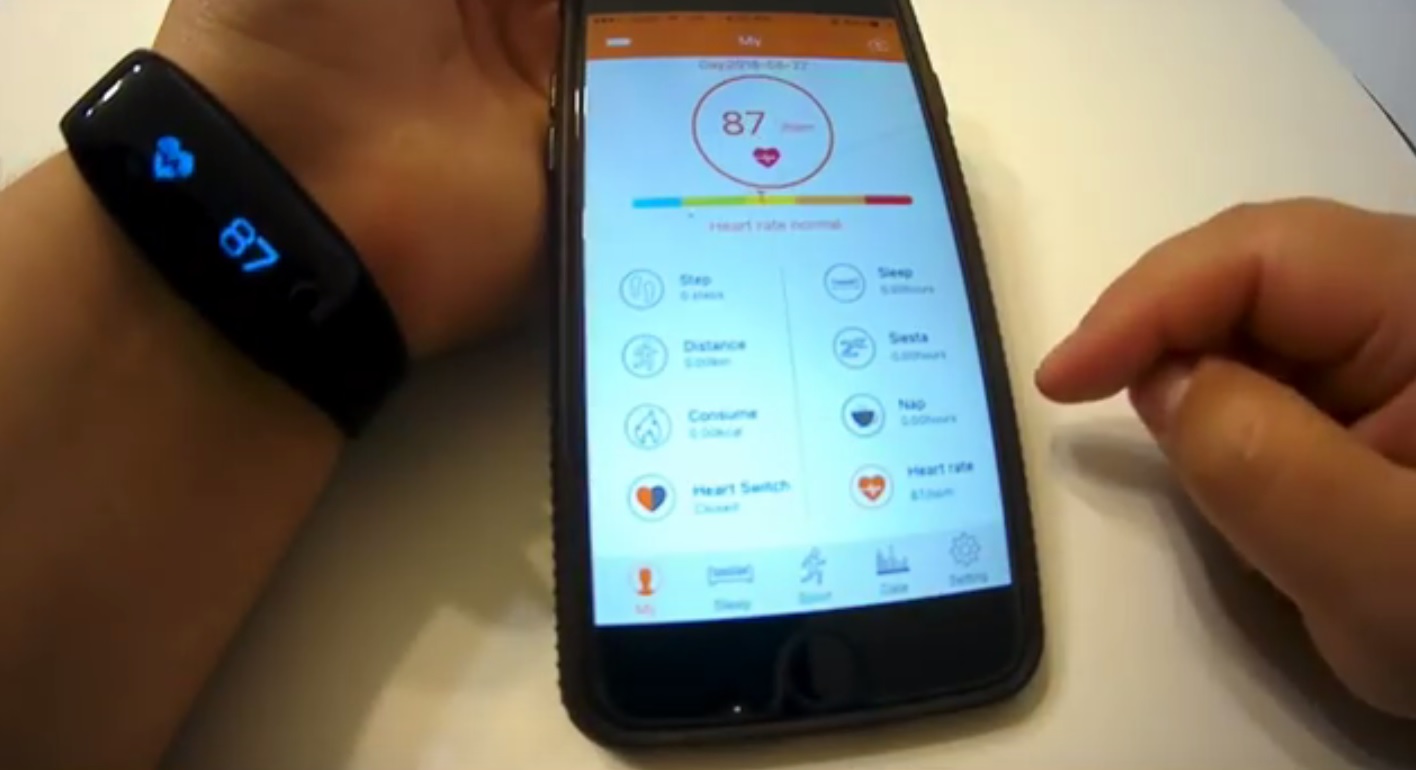 Another feature of the Teclast H30 is that you can remotely take a picture with it. Which means no more setting a timer and running to the spot to get that picture. You can simply place your smartphone and use the smart band as a shutter to take a photo whenever you want.
The battery standby time is stated to be 30 days but we weren’t able to test that as we had to clean and repack the band, so that it can be given away to one lucky reader 🙄
The only downside, apart from the poor graphics in the app (compared to the Garmin’s app, but hey, spending $133 just for graphics isn’t worth it at all), we were able to determine is that it is not water proof, i.e. you cannot bath or swim with it. Otherwise, come on, at $17, it’s a steal! Even if you aren’t able to win this in our lucky draw, we think the price is too good. Click here to order the Teclast H30 from GearBest!

A while ago, we asked many companies for a sample of their products so that we could review them. We received a lot of responses and we decided to actually give away all the samples as prizes!

In the coming days, we’ll be publishing reviews of those products and with each review, you, the readers, will get a chance to win that product. Most of them are gadgets or stuff that is related to technology.
Happy Surfing 🙂
P.S You guys can tell us which companies to review so that we can request them for a sample as well.
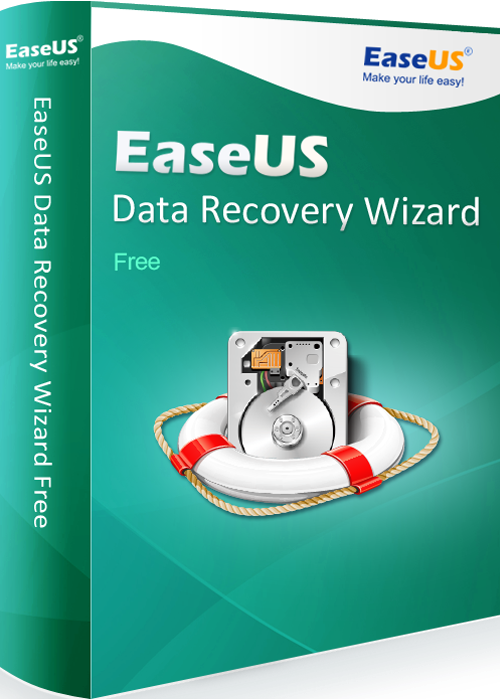
When you are occupied with work and you accidentally delete an important file then you may get into big trouble. You have to make all the efforts again to ensure that you have that important file back again. Imagine if you can get the file back with a few clicks. You must be considering it as magic but now this magic is the reality. EaseUs data recovery software has made this magic a reality. This particular software has now become an essential part of the professional world. If you are looking for such a software that could help you recover deleted files then EaseUS Data Recovery Software is the leading software currently available in the market.
EaseUS is a software that has proved extremely useful for the companies that are running it. There comes a lot of scenarios where you delete an important file and it is extremely important for you to recover it because you cannot afford to lose the data. In this kind of situations, you will need a software that could recover your file.
If you are not going to have a software that could recover your files then you either have to collect that data again and compile it into a file or you might have to pay for it. So it is better to have a software that could save you from this effort and the cost.
Using this software is a viable solution because it provides all the necessary options that you would require a free data recovery software. You just have to download the exe file from the its website linked above and run it. After the install the application, you will be taken to the main screen of the software. The software is designed with a lot effort making sure that non-technical people could also run with ease.
The data recovery software gives you the option of scanning your computer so that you can recover your file easily. The options that come along with the software are as follows.
If you have any comments or questions regarding the software, you can also ask us here in the comments section 🙂
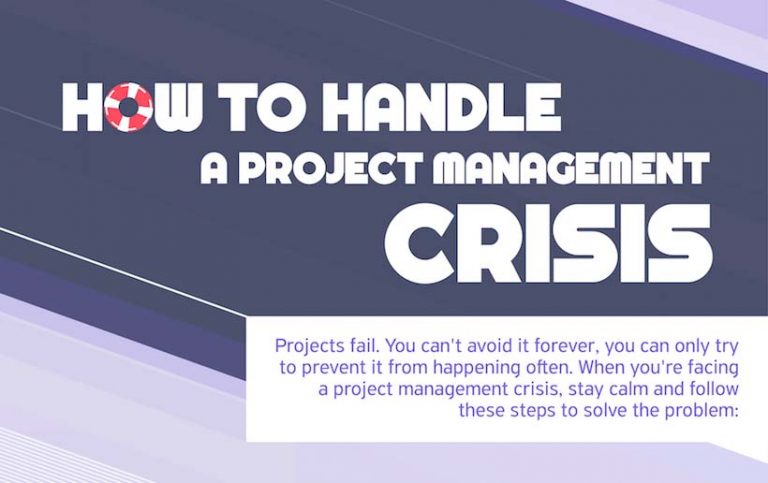

Infographic brought to you by Wrike online task management tool

At the forefront of computing technology for decades, the reign on silicon chips may soon be over, as chip designers at present are looking for other materials that offer extra options and more wonderful abilities than the silicon everyone knows and loves . ( LOVES? 😯 ).
This new trend has spurred the fellows at Oak Ridge National Laboratory (ORNL) to develop what could possibly be the foundation for multi-role computer chips.
In a latest study by the scientists from ORNL, they looked at single crystal complex oxide materials at the very smallest levels. They discovered that contained in just one piece of this material were multiple tiny regions that each responded to magnetic and electrical stimuli in a different way.
This is due to a characteristic called phase separation, and it means the individual regions inside one piece of material could be controlled in a number of ways, similar to multi-component electrical circuits.
“Within a single piece of material, there are coexisting pockets of different magnetic and/or electronic behaviors, The fact that it’s possible to additionally move these elements around provides the intriguing opportunity of creating rewritable circuitry within the material.” Zac Ward, the research paper’s corresponding author

This development implies that designers can move away from the “one-chip-fits-all” strategy. Instead of utilizing chips that can carry out just one function, we can create computer chips that are multi-functional. It additionally paves the way for smaller chips because the material holds many circuit components at the nano-scale level.
This is but one of the new developments from ORNL that might revolutionize the chip business. They’re also engaged on a technique to write tiny patterns on metallic ink, a miniature version of the printed circuit boards and chips we have at present.
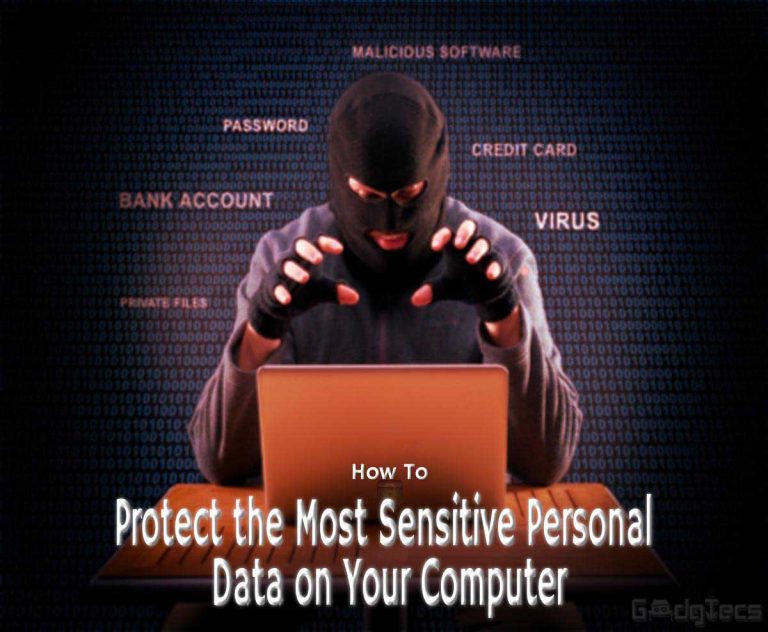
A personal computer serves a dual purpose. On one hand, it allows users to access games, browse the internet, and seek other forms of entertainment. On the other hand, it gives users a place to create, collect, and store all the vital personal information. Usually, people store personal data such as the following:
Therefore, when tragedy strikes, you’re stressed about losing your main files. As a result, you should take steps to protect the most sensitive personal information stored on your computer. Below we’ll walk you through the measures you can take for the purpose, as well as explain how they protect your data.
Secure USB and similar options will allow you to take the sensitive data off the PC and store it in a device and location that is difficult for an adversary to breach. For instance, a flash drive with a custom encrypted PIN won’t give away your data if an adversary manages to get his/her hands on your USB. That’s because the device will lock securely with encryption automatically when it’s disconnected and unplugged, and the adversary has to know the PIN code to access its contents. The user, on the other hand, can restore the data from any location as backups are made to the cloud.
Viruses and malware are serious menaces plaguing computer users around the globe. Threats like these are known for presenting themselves in inconspicuous places, while users remain unaware. Most of them are after the sensitive data lying on computers. Advanced techniques deployed by hackers ensure you don’t have to be connected to the internet to be a victim. As a result, you need anti-malware protection to stop processes and changes from taking place without your consent. It will protect your files both online and offline with security rules and pre-done coding, making it difficult or next to impossible for adversaries to sniff your personal data.
Updating your operating system might be a gigantic pain for you, but it’s an essential act to deploy critical security patches that protect your sensitive information against looming threats. Not installing these updates means putting your PC at risk. Therefore, always install updates in your regular schedule, and check manually if the system OS can be updated because sometimes users miss notifications of available updates rolled out by the OS manufacturer. Lastly, check if there’s an option to turn on automatic updates.
Take these measures today to keep your personal information safe and sound.

The new scam pulled off by hackers is called ransomware and it’s just what it sounds: the hacker uses a malware sent to you via email in order to block you out of your computer, until a certain amount if money is paid. While the thousands of attacks on personal computers only appear in the FBI files, the attacks conducted on public establishments make the headlines. The Congress banned YahooMail, fearing ransomware, while a police department was attacked, along with a church, schools and medical centers. In the latter, the hackers asked for a ransom of $17,000 aka 40 bitcoins, to return the encypted files to the medical center.
RELATED: TeslaCrypt Ransomware Creators Giveup The Master Key
Hackers are making millions of dollars out of ransomware and according to the forecasts, they are only going to make more in the future, as experts foresee a raise in the number of cyber-attacks. The technology advancements allow hackers to hide themselves while asking for money from millions of people. Even FBI advises people to pay the ransom, so you need to update your computer protection in order to decrease the risk of becoming a victim of the ransomware hackers.
 The most common way to prevent ransomware and having to buy back your files from hackers is to have a backup of all your files. However, for many people and companies, it’s the downtime that is critical for their work, so this method might not fit you. Luckily, big companies are researching new methods to keep hackers away. One of these methods is detecting the behavior of a ransomware attack.
Right now, antivirus software is based on signatures, but with new ransomware programs being developed every hour, this system no longer works. The new approach is based on the detection of the ransomware steps, instead of signatures. All ransomware attacks share the same step by step algorithm, which can be detected and killed, the target files being quarantined.
Another new approach to the prevention of ransomware attacks is working with the malware’s own features, which prevent it from being detected by antivirus software. The ransomware stays in a sleeping state during the analyses of the antivirus, only becoming active after it’s out of the sandbox. The new method of prevention tricks the ransomware and makes it believe it’s always in the sandbox, thus it never becomes active. This method of prevention allows the antivirus to prevent ransomware attacks without even having to detect them in the first place.
At the same time, some specialists in cyber-safety agree that some ransomware software is going to pass through the antivirus protection, so they focus on minimizing the losses of these attacks. This is part of a complex approach to ransomware, which aims to use both technologies and humans in the prevention, detection and protection against malware. The promoters of this method say that one can’t rely on simply one method, such as sandboxing, to keep the computer safe. Thus, they promote a complex approach, on multiple steps and levels, which could reduce the risk of infection to the minimum.

The internet has become a vital tool for UK businesses; particularly in more rural areas. Providing more than just simple convenience for customers, ensuring businesses have access to a high-speed connection plays a large part in boosting the country’s economy. That’s why in April 2015, the government set up a scheme to help more small businesses boost their broadband connections.
Helping to provide more job opportunities and boost profits
The Broadband Connection Voucher Scheme set up by the government last year, helped 55,000 small and medium businesses boost their connectivity. The scheme totalled £40 million which has now been fully allocated to businesses all over the country.
Each business was able to apply for a grant of up to £3,000. The scheme was used by a wide variety of businesses including estate agents, graphic designers, architects and cafes. Out of those businesses that took advantage of the help to get on a faster connection, on average they’ve seen an increase of £1,300 annual profits.
It’s also really helped to boost job opportunities. The more profits and increased business companies gained through having a faster connection, the more staff they’ve needed to hire to cope with the increased demand.
Having a fast broadband connection has become essential for the country’s businesses. Many businesses have even turned to companies such as Gradwell Communications Limited offering direct fibre broadband.
Boosting rural economy
While the UK’s major cities have already seen massive improvements in broadband speeds, many rural areas have been left behind. In 2013, Cornwall’s economy was significantly boosted when connectivity in its rural areas was improved. This highlights just how much of an impact broadband speed has on the UK’s rural economy.
A survey carried out in the same year by ComRes for the Countryside, showed 85% of respondents felt high-speed broadband would positively affect the economy in rural areas. Since 2013, faster broadband has been rolled out into more remote locations, though there is still a long way to go to ensure the entire country benefits.
Overall, fast broadband does have a direct positive impact on the environment. Not only does it increase job opportunities and increase sales, but it also opens the door for international business too. It also helps to attract inward investments. As technology continues to advance, broadband speeds continue to increase. As statistics show, this is fantastic news for the country’s economy.
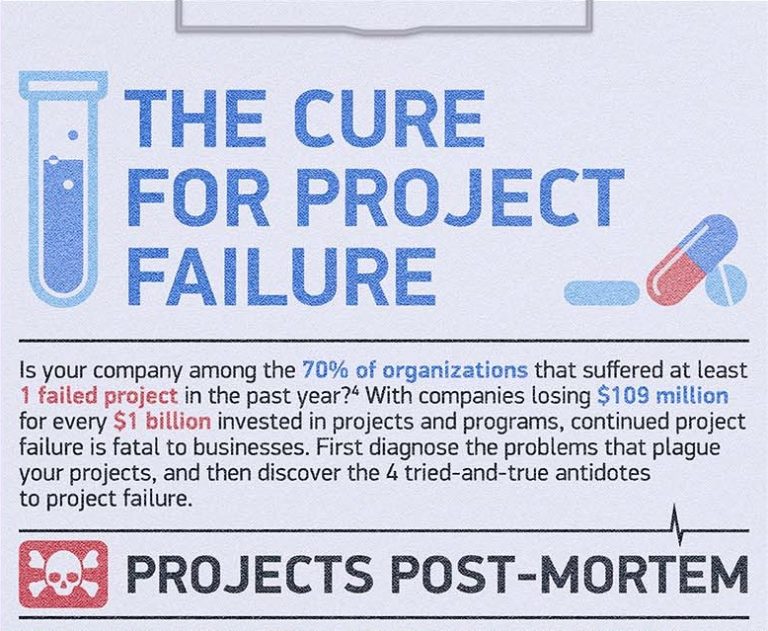
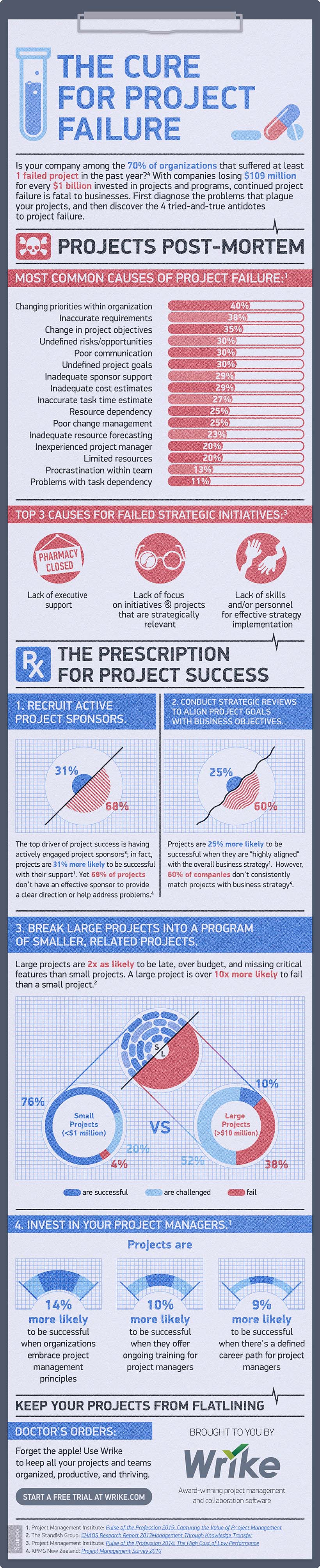
Is your company among the 70% of organizations that suffered at least 1 failed project in the past year? With companies losing $109 million for every $1 billion invested in projects and programs, continued project failure is fatal to businesses. First diagnose the problems that plague your projects, and then discover the 4 tried-and-true antidotes to project failure.
Infographic brought to you by Wrike web collaboration tool